

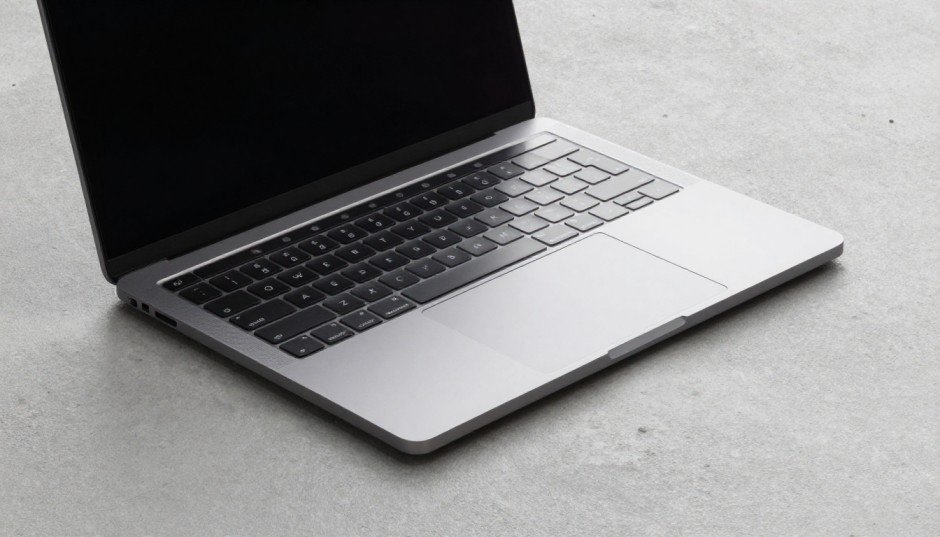
MacBook Pro M3: Powerful, Fast, But Is It Worth It? 2026
Introduction
You have probably heard the buzz about the MacBook Pro M3. Apple promised a massive leap forward, and honestly, they delivered something worth paying attention to. Whether you are a creative professional, a developer, or someone who just wants a laptop that does not slow you down, the MacBook Pro M3 lands in your line of sight for good reason.
Apple launched the M3 chip family in October 2023, and it brought three tiers: M3, M3 Pro, and M3 Max. Each one targets a different type of user. The base M3 chip suits everyday power users. The M3 Pro goes after professionals who need more. The M3 Max is in a league of its own for heavy hitters like video editors and 3D artists.
In this article, you will get a clear picture of what the MacBook Pro M3 actually offers. We will cover performance, display quality, battery life, pricing, and who should buy it. No fluff, just the facts you need to make a smart decision.

What Makes the M3 Chip So Different?
The MacBook Pro M3 runs on Apple’s third-generation silicon, built on a 3-nanometer process. That single fact changes everything. Smaller transistors mean more power with less heat and dramatically better energy efficiency.
The base M3 chip packs an 8-core CPU and a 10-core GPU. The M3 Pro steps that up to a 12-core CPU and an 18-core GPU. The M3 Max goes all the way to a 16-core CPU and a 40-core GPU. These are not just numbers on paper. You feel the difference the moment you open a heavy project or run multiple demanding apps side by side.
Apple also introduced hardware ray tracing in the M3 chip for the first time. This is a big deal for gaming and 3D rendering because it makes lighting and reflections look dramatically more realistic. If you have ever been curious about Mac gaming, the MacBook Pro M3 makes that conversation more interesting than ever before.
CPU Performance: Faster Than You Think
Independent benchmarks show the M3 outperforms its predecessor, the M2, by around 20 to 25 percent in single-core tasks. Multi-core performance sees a similar improvement. For you, that means faster compile times, quicker exports, and apps that launch almost instantly.
The M3 Pro and M3 Max widen that gap even further. Apple claims the M3 Max delivers up to 2.5 times the CPU performance of the M1 Max. If you are still using an older Intel-based MacBook Pro, the jump will feel like switching from dial-up internet to fiber.
GPU Performance and Hardware Ray Tracing
The GPU improvements deserve their own spotlight. The M3 chip introduces a new GPU architecture with mesh shading support, which speeds up complex 3D geometry rendering. Hardware ray tracing makes real-time reflections and shadows far more accurate.
Creators using Cinema 4D, Blender, or DaVinci Resolve will notice render times drop noticeably. Apple’s Metal API takes full advantage of these hardware features, meaning compatible apps see gains without any extra optimization work from you.
MacBook Pro M3 Display: Gorgeous and Functional
Apple kept the Liquid Retina XDR display from the previous generation, and that is absolutely not a complaint. The 14-inch model packs a 3024 x 1964 resolution. The 16-inch model goes up to 3456 x 2234. Both hit a peak brightness of 1600 nits in HDR mode and 1000 nits in sustained brightness.
ProMotion technology gives you an adaptive refresh rate that moves between 24Hz and 120Hz. This means scrolling feels butter-smooth, and when you are watching a movie at 24 frames per second, the display matches that cadence perfectly.
The display covers 100 percent of the P3 wide color gamut. Colors are accurate and vivid without looking oversaturated. If you work in photography, video, or any visual design field, this screen will not lie to you.
The Notch and the Camera
Yes, the notch is still there. Apple fits a 1080p front-facing camera inside it, which is a solid improvement over older MacBook webcams. Calls look noticeably sharper, and Center Stage tracks your face automatically so you stay centered in the frame during video meetings.
Battery Life: One of the Best You Will Find
Apple rates the 14-inch MacBook Pro M3 at up to 22 hours of battery life. The 16-inch model matches that claim. In real-world use, you will likely see 12 to 16 hours depending on what you are doing.
Running video playback, light browsing, and writing, you will easily get through a full workday on a single charge. Even with heavier workloads like video editing or compiling code, the battery holds up impressively. This is one area where Apple’s silicon genuinely changes the game compared to competing Windows laptops.
The MacBook Pro M3 also supports fast charging. With the 96W or 140W USB-C adapter, you can recover around 50 percent of battery in about 30 minutes. That is handy when you are rushing out the door.
Ports and Connectivity: Apple Listened
One of the biggest complaints about older MacBook Pros was the lack of ports. Apple addressed that years ago, and the MacBook Pro M3 continues to offer a solid lineup. You get three Thunderbolt 4 ports on the M3 base model. The M3 Pro and M3 Max models bump that up to three Thunderbolt 4 ports, HDMI 2.1, an SD card slot, and MagSafe 3 for charging.
The MagSafe connector is genuinely useful. It charges quickly, snaps on magnetically, and disconnects cleanly if someone trips over the cable. HDMI 2.1 means you can connect an 8K display directly without any adapter.
Wi-Fi 6E and Bluetooth 5.3 round out the wireless connectivity. You get fast, reliable wireless connections whether you are at home or in a coffee shop.

Storage and Memory Options
The MacBook Pro M3 starts with 8GB of unified memory, though Apple now markets this as being equivalent to much more traditional RAM due to the efficiency of unified memory architecture. Realistically, 8GB works fine for light to moderate tasks, but you should seriously consider stepping up to 16GB if you plan to run multiple apps simultaneously or work with large files.
Storage starts at 512GB SSD. You can configure up to 8TB on M3 Max models. The SSD speeds are exceptionally fast, reaching sequential read speeds of around 7.4GB per second on higher-tier models.
One important note: memory and storage are not upgradeable after purchase. Choose wisely at the time of buying because you are locked into whatever configuration you pick.
MacBook Pro M3 Pricing: What You Are Actually Paying For
Here is where things get real. The MacBook Pro M3 starts at $1,599 for the 14-inch model with the base M3 chip, 8GB memory, and 512GB storage. That is the entry point.
The 14-inch MacBook Pro M3 Pro starts at $1,999. The 16-inch MacBook Pro M3 Pro starts at $2,499. The M3 Max configurations start at $3,499 and can climb well past $4,000 depending on your choices.
These prices are steep. But consider what you are getting: a laptop with desktop-class performance, exceptional battery life, a stunning display, and an ecosystem that stays optimized through Apple Silicon. For professionals who depend on their laptop to make money, the investment often pays for itself in productivity gains.
If budget is a concern, the refurbished Apple store and certified resellers regularly offer meaningful discounts on MacBook Pro models.
Who Should Buy the MacBook Pro M3?
Not everyone needs a MacBook Pro M3, and that is worth saying out loud. Here is a quick breakdown to help you decide.
Buy the M3 base model if you are:
- A student or everyday power user who wants premium performance
- Someone switching from an Intel Mac looking for a major speed boost
- A developer who needs fast compile times and long battery life
Buy the M3 Pro if you are:
- A video editor working with 4K footage regularly
- A music producer running large plugin-heavy sessions
- A software engineer running virtual machines or Docker containers
Buy the M3 Max if you are:
- A 3D artist rendering complex scenes
- A filmmaker editing 8K or high-frame-rate content
- A machine learning engineer running large model training locally
Skip it if you are:
- Someone who primarily does web browsing, email, and light documents. The MacBook Air M3 saves you several hundred dollars and handles those tasks beautifully.
MacBook Pro M3 vs MacBook Air M3: Quick Comparison
The MacBook Air M3 launched in early 2024 and starts at $1,099. For many users, it is actually the smarter buy. Here is why the Pro still wins for certain people.
The MacBook Pro has a fan. The Air does not. Under sustained heavy load, the Pro maintains peak performance while the Air throttles to manage heat. If you push your laptop hard for extended periods, the Pro’s active cooling makes a real difference.
The Pro also has a significantly brighter display, more port options, better speakers, and longer battery life claims. The notch camera is better on the Pro as well.
For casual users and even light professionals, the Air handles the job beautifully. For anyone running demanding workloads consistently, the Pro justifies its premium.

Conclusion
The MacBook Pro M3 is not just an incremental upgrade. It represents a meaningful step forward in performance, efficiency, and display quality. Apple built something that genuinely competes with and often surpasses workstation-class machines while fitting in a slim, portable design.
If your work demands serious performance and you value battery life, the MacBook Pro M3 earns its asking price. You are not just buying a laptop. You are investing in a tool that will stay fast and capable for years.
The question worth asking yourself is simple: will this machine help you do better work? For most professionals, the answer is yes.
If you found this helpful, share it with someone who is on the fence about upgrading. And if you have already made the jump to the MacBook Pro M3, drop your experience in the comments below.
Frequently Asked Questions
1. Is the MacBook Pro M3 worth buying in 2025? Yes, absolutely. The M3 chip still delivers top-tier performance, and Apple continues to optimize software for it. It remains one of the best laptops you can buy for professional work.
2. How much RAM do I need for the MacBook Pro M3? 16GB is the sweet spot for most professionals. Go for 8GB only if your budget is tight and your workloads are light. Choose 32GB or more if you work with video, 3D, or run virtual machines.
3. Does the MacBook Pro M3 overheat? Not under normal conditions. The active cooling system keeps temperatures in check during heavy sustained workloads. It runs warm but not uncomfortably hot.
4. Can you upgrade the RAM or storage later? No. Apple’s unified memory and storage are soldered to the board at the factory. You must configure the specs you want at the time of purchase.
5. Does the MacBook Pro M3 support external displays? Yes. The M3 Pro supports up to two external displays. The M3 Max supports up to four. The HDMI 2.1 port also supports 8K output.
6. Is the MacBook Pro M3 good for gaming? More so than any previous Mac. Hardware ray tracing and Metal performance improvements make it the best Mac for gaming yet. However, the library of Mac-native games is still smaller than Windows.
7. What is the difference between M3, M3 Pro, and M3 Max? M3 is the base chip for everyday power use. M3 Pro adds more CPU and GPU cores for professional tasks. M3 Max doubles down again for the most demanding creative and computational workloads.
8. How long does the MacBook Pro M3 battery last? Apple rates it at up to 22 hours. Real-world use lands between 12 and 16 hours depending on your workload. Light use pushes toward the high end. Heavy tasks bring it closer to 10 to 12 hours.
9. Does the MacBook Pro M3 come in different colors? Yes. The 14-inch and 16-inch models are available in Space Black and Silver. Space Black is a new, darker finish introduced with the M3 generation.
10. Should I buy a MacBook Pro M3 or wait for M4? If you need a laptop now, buy the M3 Pro or M3 Max confidently. The M4 MacBook Pro models have been announced, but the M3 still offers exceptional performance and will receive software support for many years.
About the Author
Alex Carter is a technology writer and hardware reviewer with over eight years of experience covering consumer electronics, Apple products, and productivity tools. Alex has tested dozens of laptops across price ranges and believes in honest, reader-focused advice that helps you spend your money wisely. When not writing, Alex is likely running benchmarks or exploring the latest developer tools.
Also read edunewshealth.com
Email: johanharwen314@gmail.com
Author Name: Johan Harwen